One post, one click
Download Media sits next to the username. Timeline posts get the same button beside Bookmark.
Twitter / X media downloader
Click Download Media on a post, or pull a profile Media tab into a folder you name. Images are free. Video and GIF download is Pro.
No credit card for the free plan. Or download one post in the browser
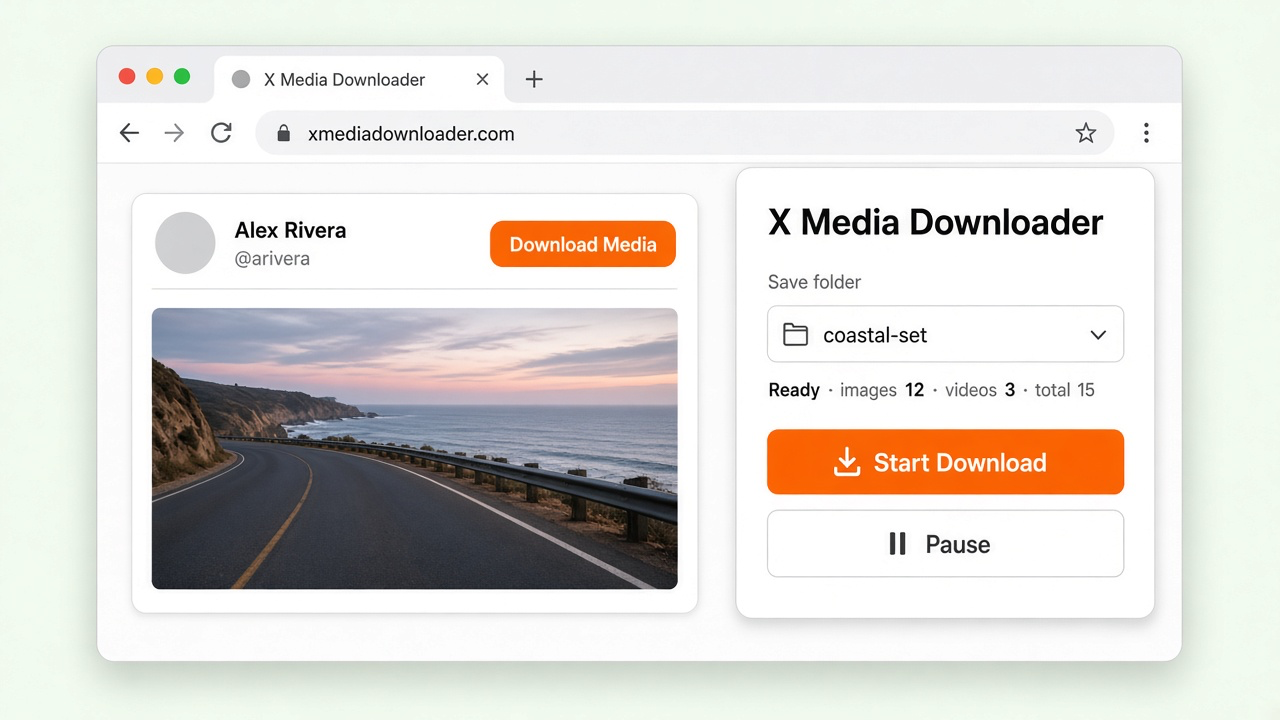
No extra site, no account password, no copying a video link out of the player.
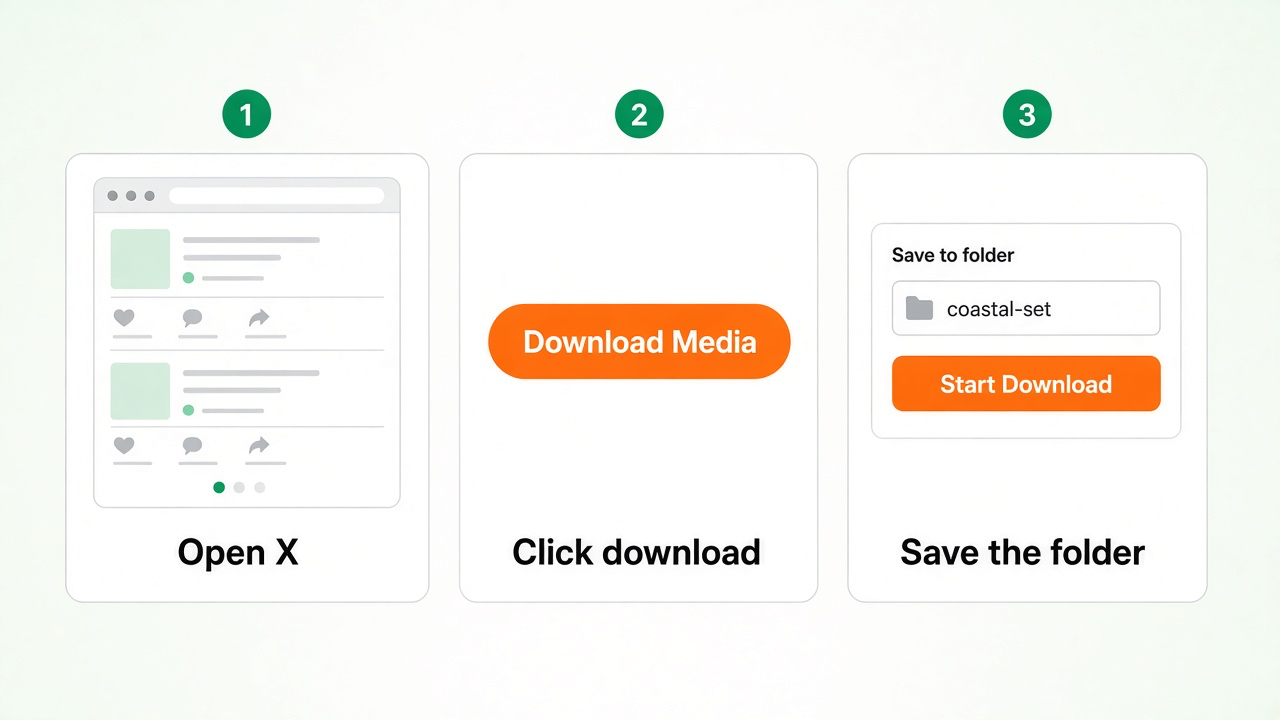
Step 1
Go to x.com and pin the extension. A post, the timeline, or a profile Media tab is enough.
Step 2
Use Download Media on a post, the button beside Bookmark, or the icon on the Media tab.
Step 3
Name the folder, then Start Download. Pause when you need to. Files land in Chrome downloads.
The player will not hand you the file. A profile Media tab will not pack itself into a folder. This extension does both from the page.
Download Media sits next to the username. Timeline posts get the same button beside Bookmark.
Open a profile's Media tab, name a folder, and save the library you are looking at.
The batch follows the filter already selected on that tab, so you do not mix types you did not ask for.
Watch live counts for images, videos, and total files. Pause a long job and start it again.
Group a bulk save into subfolders by tweet ID. Pick a filename with the username, tweet ID, date, or time.
Drop a post URL or a profile Media tab URL into the popup and choose Open & Download.
People who already found the post, and need the file — not another tab full of ads and a low-resolution copy.
Keep your own posts, or work you have the right to save, without screenshotting a video frame by frame.
Pull the original photo or the highest available MP4 from a public post into a draft, a deck, or an ad cut.
A Media tab mixes photos, videos, and GIFs. Filter first, then save that set into one folder instead of scrolling and saving one by one.
Select the right plan for you business. Upgrade or downgrade at any time.
Free
per user / month
7 Days Moneyback Guarantee
$4.99
per user / month
7 Days Moneyback Guarantee
Get 2 months free when you choose yearly plan!
Where you can get questions to common questions about X Media Downloader
How do I download images and videos from X (Twitter)?
Open a post and click Download Media next to the username, or use the button beside Bookmark in the timeline. On a profile, open the Media tab, click the download icon, name the folder, then Start Download. You can also paste a post or Media tab URL into the popup and choose Open & Download.
What is the difference between Free and Pro?
Free downloads images, up to 10 files per batch. Pro unlocks videos and GIFs, and raises the batch limit to 5,000 files.
Where do the files go?
A single post saves under Downloads, in a folder named with the tweet ID. A Media tab download uses the folder name you type in the panel. In Settings, turn on Create subfolder using the tweet ID to group each post's files. Change Chrome's default folder at chrome://settings/downloads.
Can I pause a bulk download?
Yes. The panel shows image, video, and total counts while the job runs. Pause, then start again on the same job.
Will it only download Photos, Videos, or GIFs?
A Media tab download follows the filter already selected on that tab. Choose Photos, Videos, or GIFs before you start. Video and GIF download requires Pro.
Do I need to log in to X?
The extension works on the x.com page you already have open. It does not ask for your X password. Only public posts can be saved.
How do I restore my subscription?
Find the order id in your payment email. Open the Pro page, click Change token, then enter your email and order id.
How do I cancel my subscription?
Open the extension, click PRO, then CANCEL SUBSCRIPTION. You can cancel at any time. Payments are handled by Paddle or PayPal. We do not store your card details.
Can I download someone else's posts?
Save media you have the right to keep: your own posts, licensed work, or content the owner allows you to download. This product is not affiliated with, sponsored by, or endorsed by X Corp or Twitter.
Didn’t find the answer you are looking for? Contact our support
Add the extension and save the next post from the page you already have open. If Pro is not what you needed after 7 days, you get a full refund.
Add to Chrome X Media Downloader
Download videos, photos, and GIFs from X (Twitter) into a folder you choose.
Products
Need Help?
Send us an email at help@extensionsfox.com if you have any questions. We'll help you out.
© Copyright 2026, All Rights Reserved by tw-downloader.extensionsfox.com